What a canonical tag means
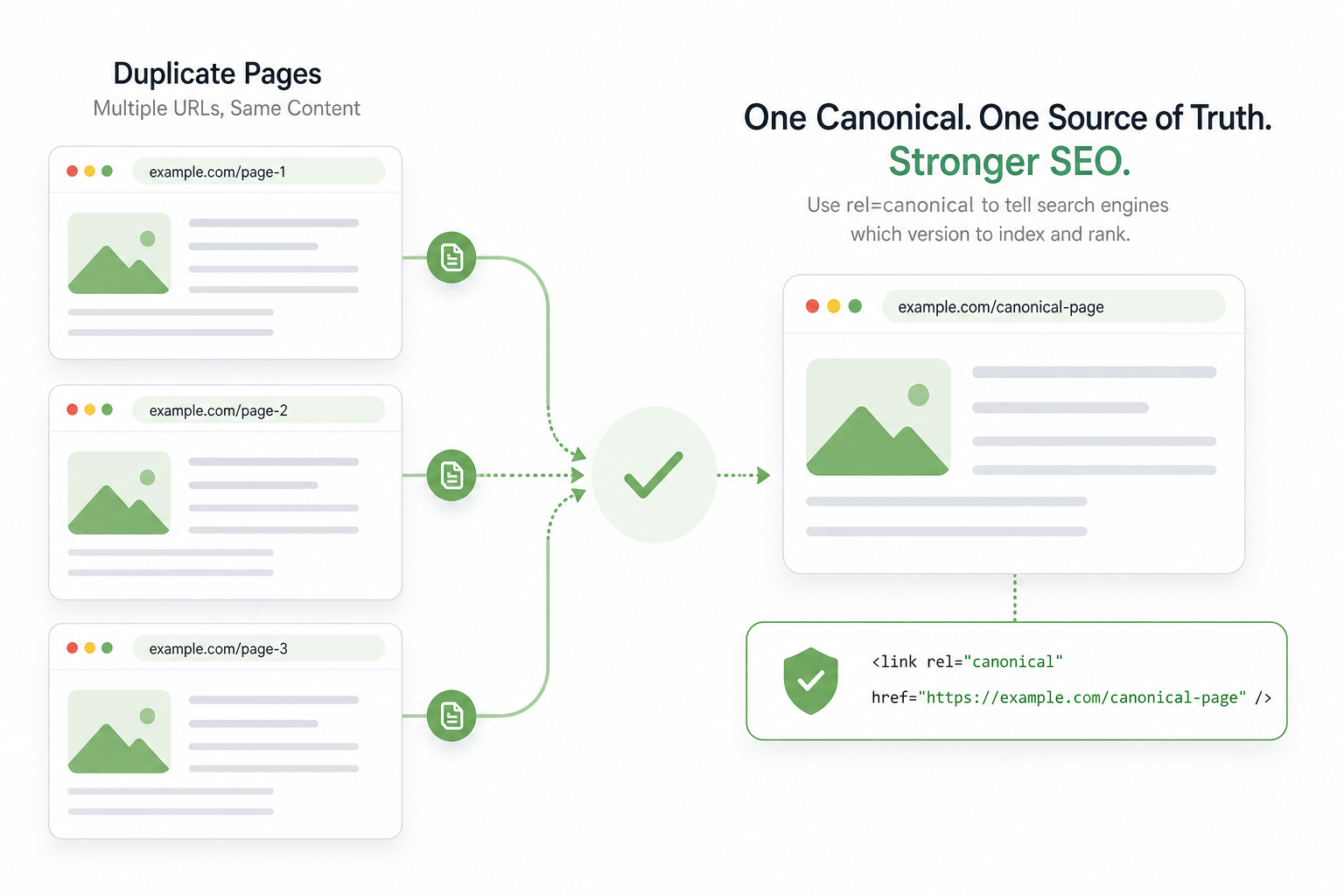
A canonical tag (rel="canonical") is an HTML element that points search engines to a page’s primary (preferred) URL. It is a hint, not a command — but Google follows it almost always when the signal is consistent.
Canonical solves the problem where technically different URLs show the same or very similar content: ?utm_source=..., /page/2, www vs non-www, HTTP vs HTTPS.
Every indexable page should have a canonical — often self-referencing, pointing to itself. Exceptions: pagination, parameters, and print versions point to the main version.
Why canonical is mandatory
Why duplicate content hurts SEO
Duplicate content is not always a penalty — but it splits signals: links, social shares, and user signals spread across URLs. No version gets full strength.
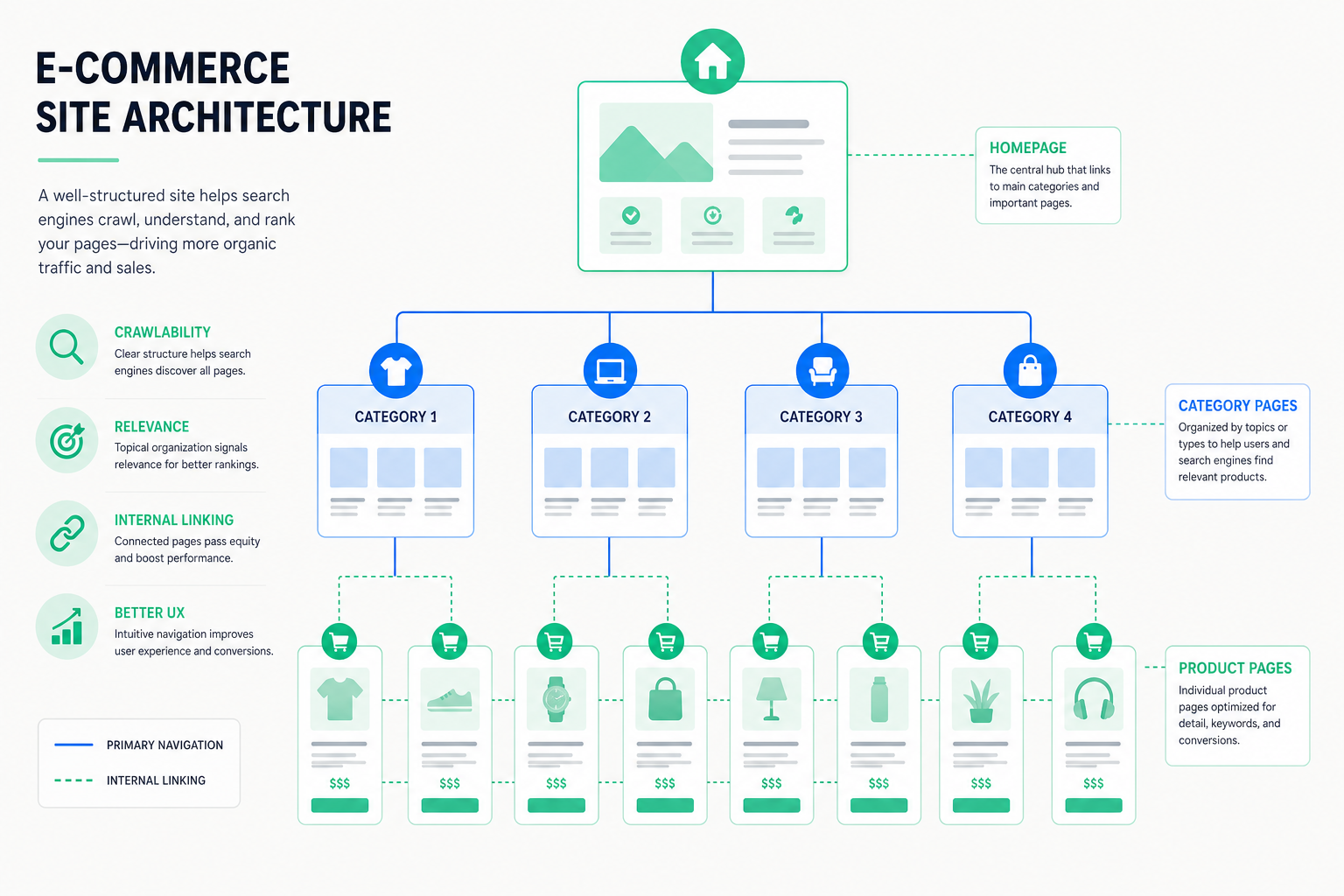
In ecommerce, product descriptions, filter URLs, and session IDs create massive duplicate issues. Read our ecommerce SEO guide.
Canonical is the first tool; second is noindex, third is parameter handling in Search Console.
- Signals split across multiple URLs
- Indexing wasted on useless versions
- Scalable problem in ecommerce
- Canonical + noindex + parameters together
Types of duplicate content
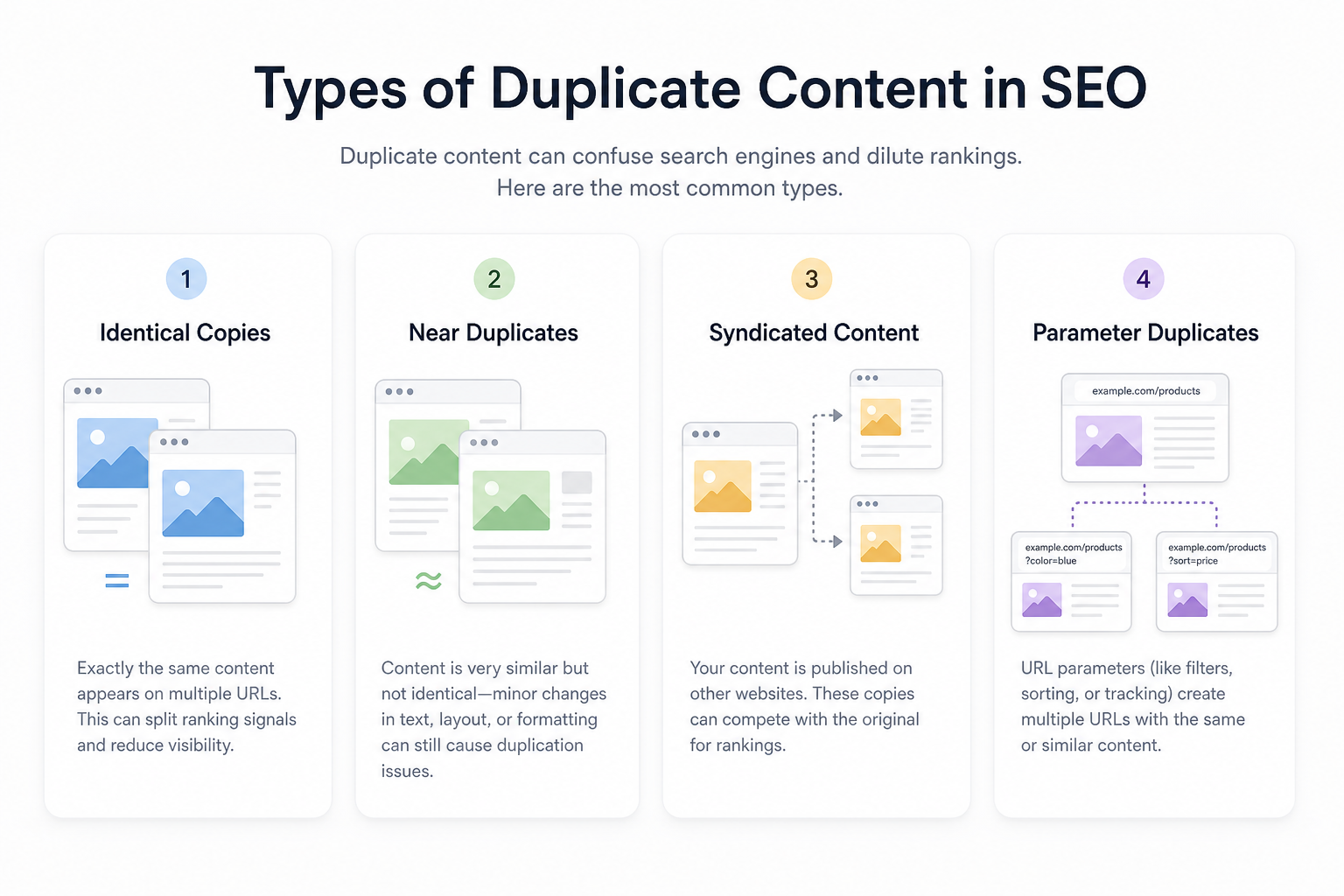
Exact copies: www/non-www, HTTP/HTTPS, trailing slash differences. Fix: 301 + self-referencing canonical.
Parameterized URLs: tracking, session, sort, filter. Fix: canonical to clean version or parameter handling in GSC.
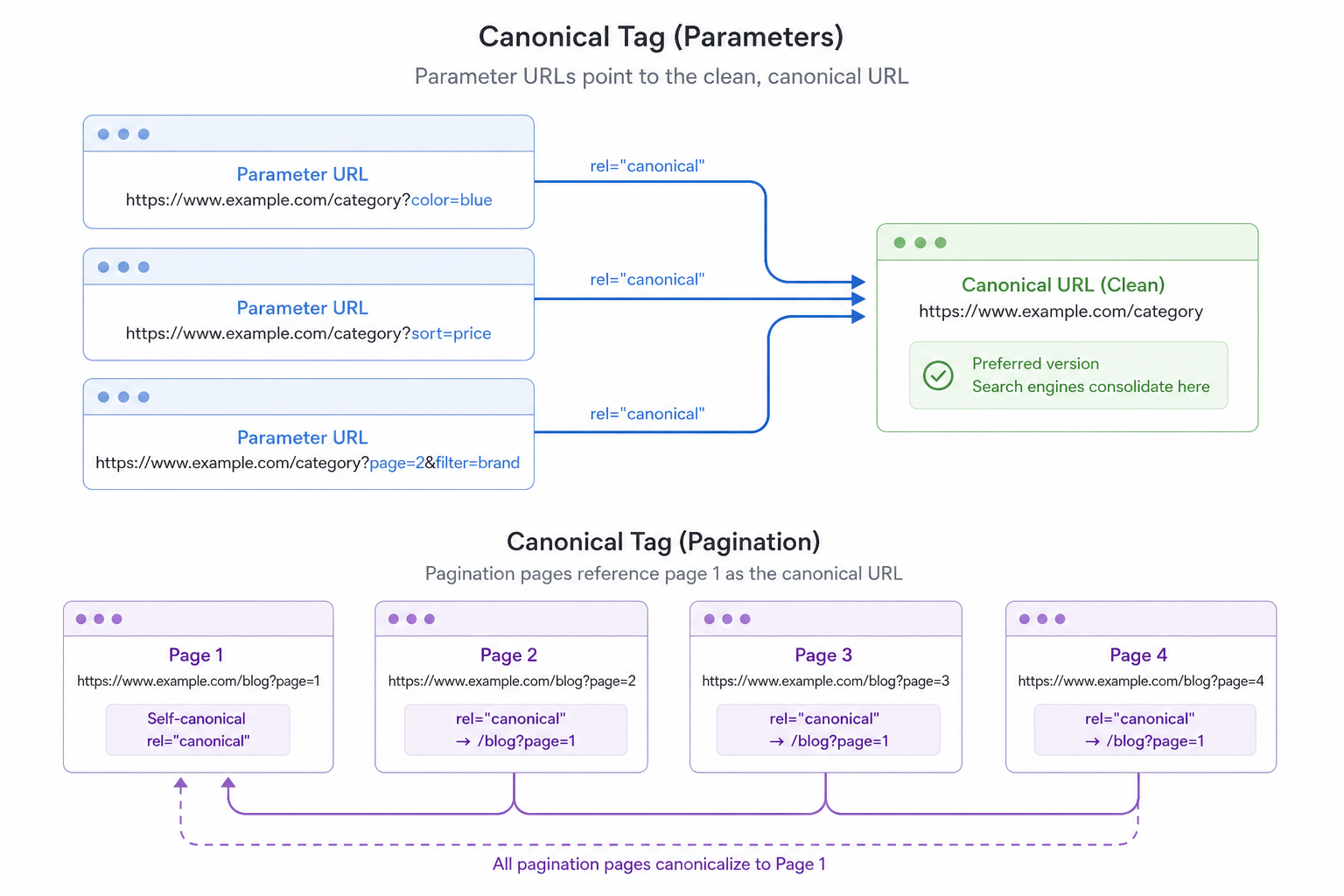
Pagination: /page/2, ?page=2. Fix: page 1 self-canonical, pages 2+ canonical to page 1 or rel=prev/next (legacy but still seen).
Syndication: article elsewhere + on your site. Fix: canonical to original or your version self-canonical if unique.
Canonical in practice
Add a canonical link (rel=canonical) in every page head with an absolute HTTPS URL. Example: https://example.com/page/ — domain and path must be exactly correct.
Self-referencing canonical confirms the preferred URL — especially important when the page is reachable multiple ways.
Do not canonicalize different content to the same URL — Google may ignore wrong canonicals and pick its own version.
URL parameters and tracking
UTM and tracking parameters (?utm_source=email) create duplicates. Canonical points to the clean URL without parameters.
In Search Console, define parameter handling: which change content (index), which do not (no effect).
Avoid internal links to parameterized URLs — always link to the canonical version.
Pagination and faceted navigation
On blog and category pagination, page 1 is usually preferred. Pages 2+ may canonical to page 1 — or be independently indexable if content is unique (e.g. different products).
Faceted navigation in ecommerce: filter URLs canonical to main category or noindex. Read facet guidance in our ecommerce guide.
A view-all page can be canonical for all paginated pages if it loads fast and is user-friendly.
Syndication tip
Syndication, UGC, and cross-posting
When the same article lives in multiple places, only one URL should get authority. Define it with canonical — usually your site if it is the primary source.
User-generated content (forums, reviews) is often unique per URL — self-canonical is enough. Copied product copy is duplicate — canonical or unique content.
Print and AMP versions: canonical points to the main HTML page.
Most common canonical errors
Canonical points to a 404 or redirect — Google ignores the signal.
Conflict: page A canonical to B, page B canonical to A — confusing signal.
All paginated pages canonical to page 1 when each page is a unique product list — you lose long-tail indexing.
Canonical and hreflang in conflict — fix canonical first.
Canonical audit
Crawl the site and check canonical on every URL. Find missing, conflicting, and chained canonicals.
Search Console → Indexing → Pages: "Duplicate, Google chose different canonical" shows where Google disagrees with you.
Fix at template level (Layout, CMS) — not manually on hundreds of pages. Read on-page SEO 2026.
Canonical in numbers
Summary and next steps
Canonical tags consolidate duplicate signals into one URL. Identify the duplicate type, implement self-referencing canonical, handle parameters, and audit in Search Console.
In ecommerce, combine canonical with facet control and hreflang. Need help? Our SEO service and technical SEO guide.
Canonical checklist
Run this list during audits and when launching new templates.
- Self-referencing canonical on every page
- Absolute HTTPS URLs
- Parameterized URLs canonical to clean version
- No canonical chains
- Pagination and facets controlled
- Syndication canonical correct
- GSC canonical conflicts fixed
Frequently asked questions
What does a canonical tag do?
Canonical tells Google the primary URL when the same content exists at multiple addresses. It consolidates signals into the preferred version.
Should canonical always point to itself?
On most unique pages, yes — self-referencing canonical. Exceptions: pagination, parameters, and print versions point to the main version.
Are duplicates penalized?
Google usually does not penalize duplicates — it splits signals. Canonical is how you say which version matters most.
Canonical or noindex?
Canonical consolidates signals to the preferred URL. Noindex blocks indexing entirely — use noindex on useless filter URLs, canonical on the main version.
How do I find canonical issues?
Crawl the site and check Search Console → Indexing → "Duplicate, Google chose different canonical". Fix conflicts at template level.