What SEO migration means
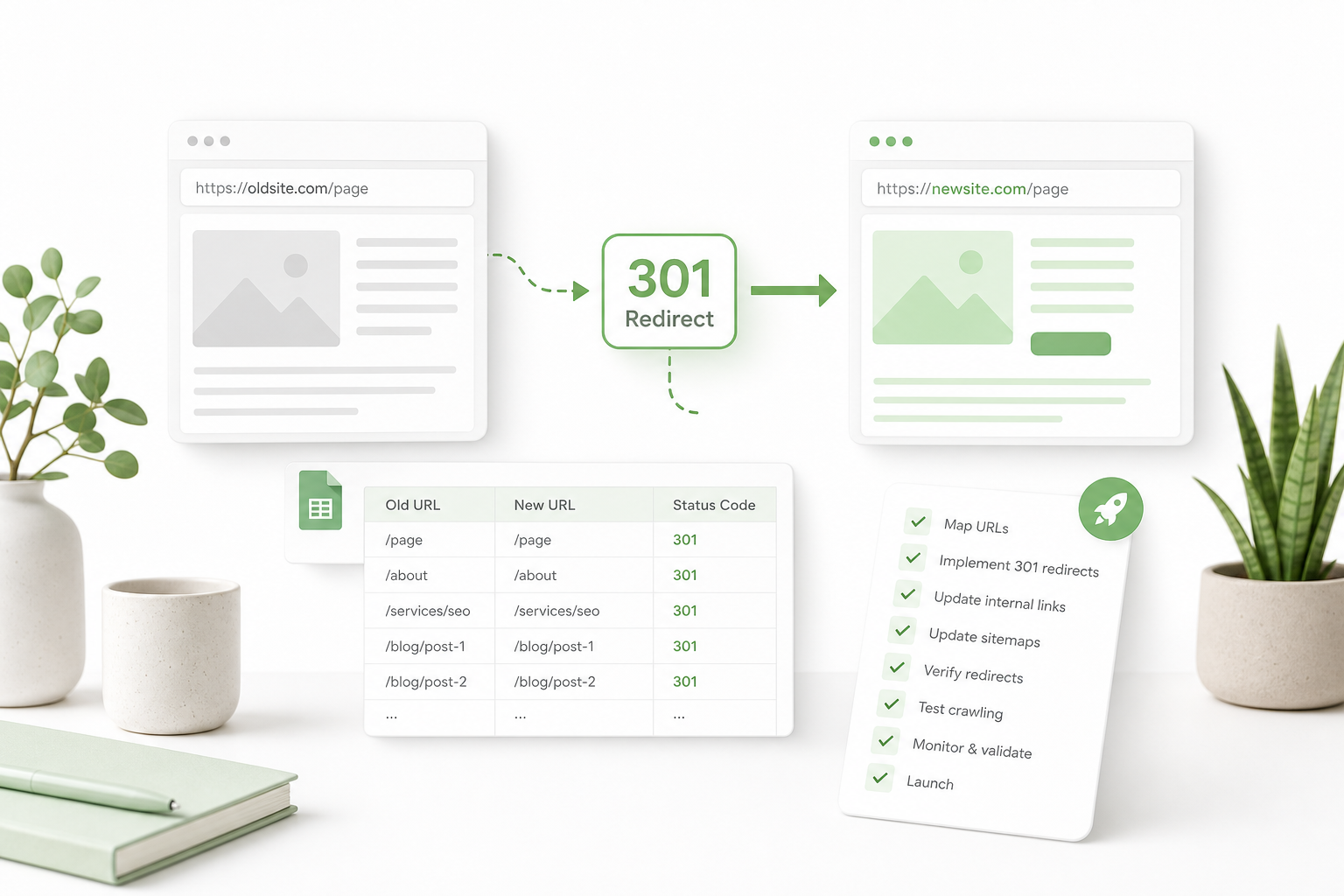
SEO migration is a change that affects URLs, site structure, or domain: new CMS, HTTPS move, rebrand, path change, or merger. Goal: preserve organic traffic, rankings, and indexing.
Migration is not just a technical deploy — it is an SEO project. Without a redirect map, testing, and monitoring, traffic can drop 30–70 % and take months to recover.
A successful migration starts with inventory: which URLs drive traffic, links, and conversions? These are critical and need 301 redirects.
Why migrations fail
Why migration fails
Failure reasons are predictable: incomplete redirect map, 302 for a permanent move, chained redirects, indexed staging, or forgotten sitemap update.
Organizations often focus on the new site’s look and forget URLs. SEO migration requires collaboration between dev, content, and SEO.
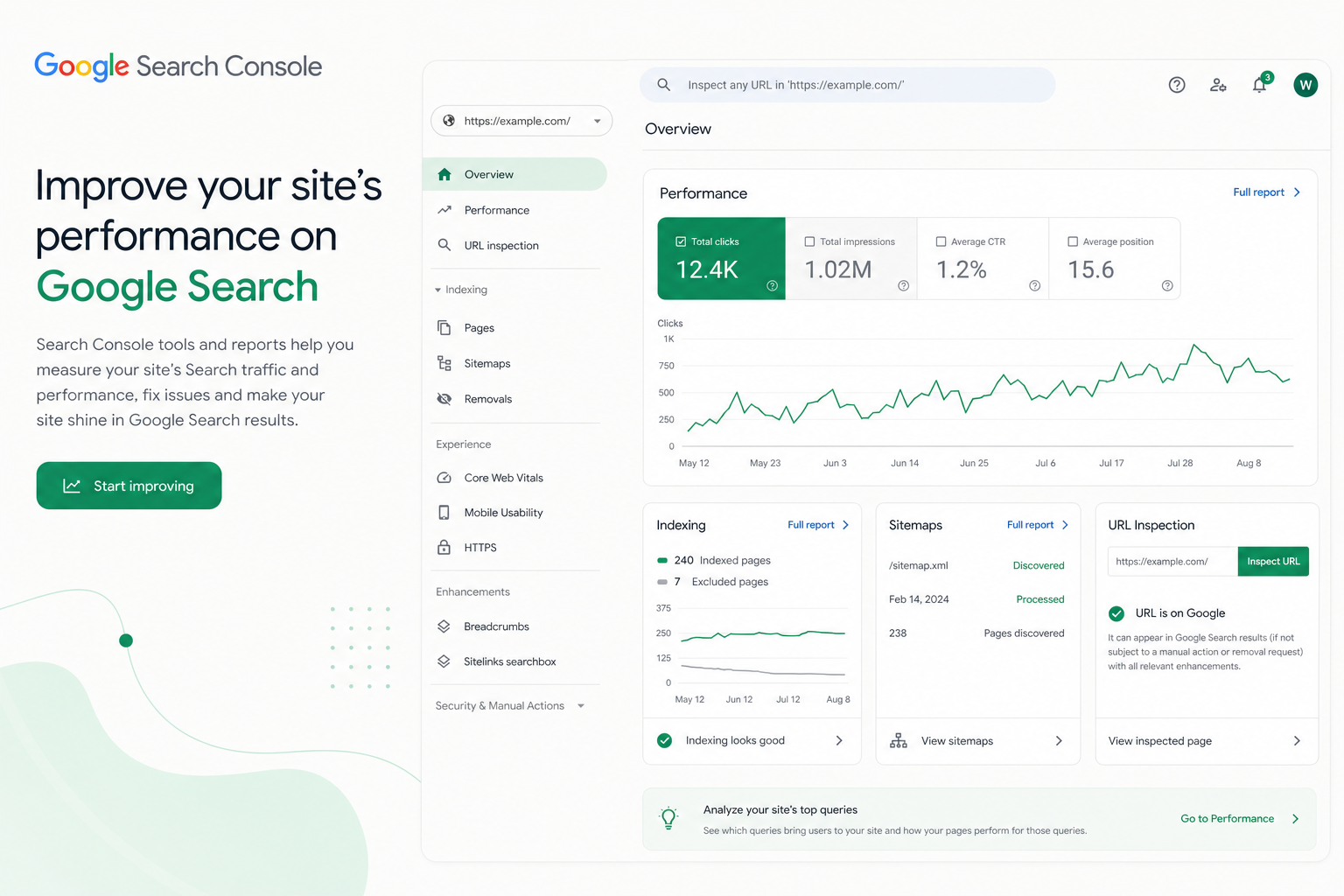
Before migration, run an SEO audit: crawl the site, list top URLs from Search Console, and document the current structure.
- Incomplete redirect map
- 302 instead of permanent move
- Redirect chains (A → B → C)
- Staging indexed in production
Planning and URL inventory
Step 1: crawl the current site (Screaming Frog, Sitebulb) and export Search Console top URLs. Merge: traffic + links + business value.
Step 2: design the new URL structure. Decide which pages move 1:1, which merge, and which are removed deliberately (410 or 301 to category).
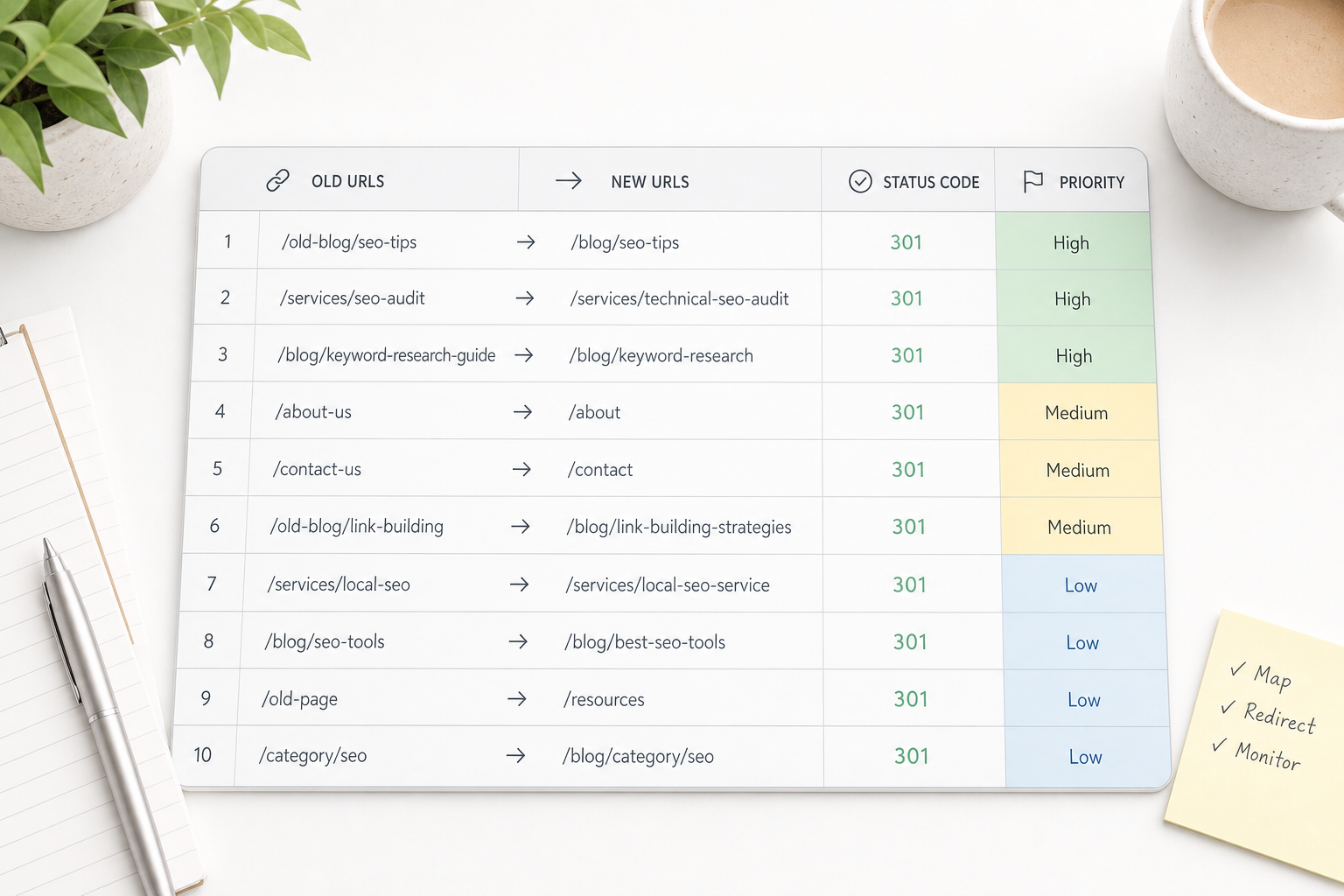
Step 3: build a redirect map in a spreadsheet: old URL → new URL → type (301/410) → priority → owner.
Redirect map — the backbone of migration
A redirect map documents the destination for every old URL. Critical pages (top 20 % of traffic) are tested manually before and after launch.
The map covers: pages, blog posts, products, categories, PDFs, and old campaign URLs. Do not forget www vs non-www, HTTP → HTTPS, and legacy parameterized URLs.
Prioritize pages with the most organic traffic and backlinks first. The rest can be automated with rules (e.g. /old-path/* → new structure).
301 vs 302 — when to use each
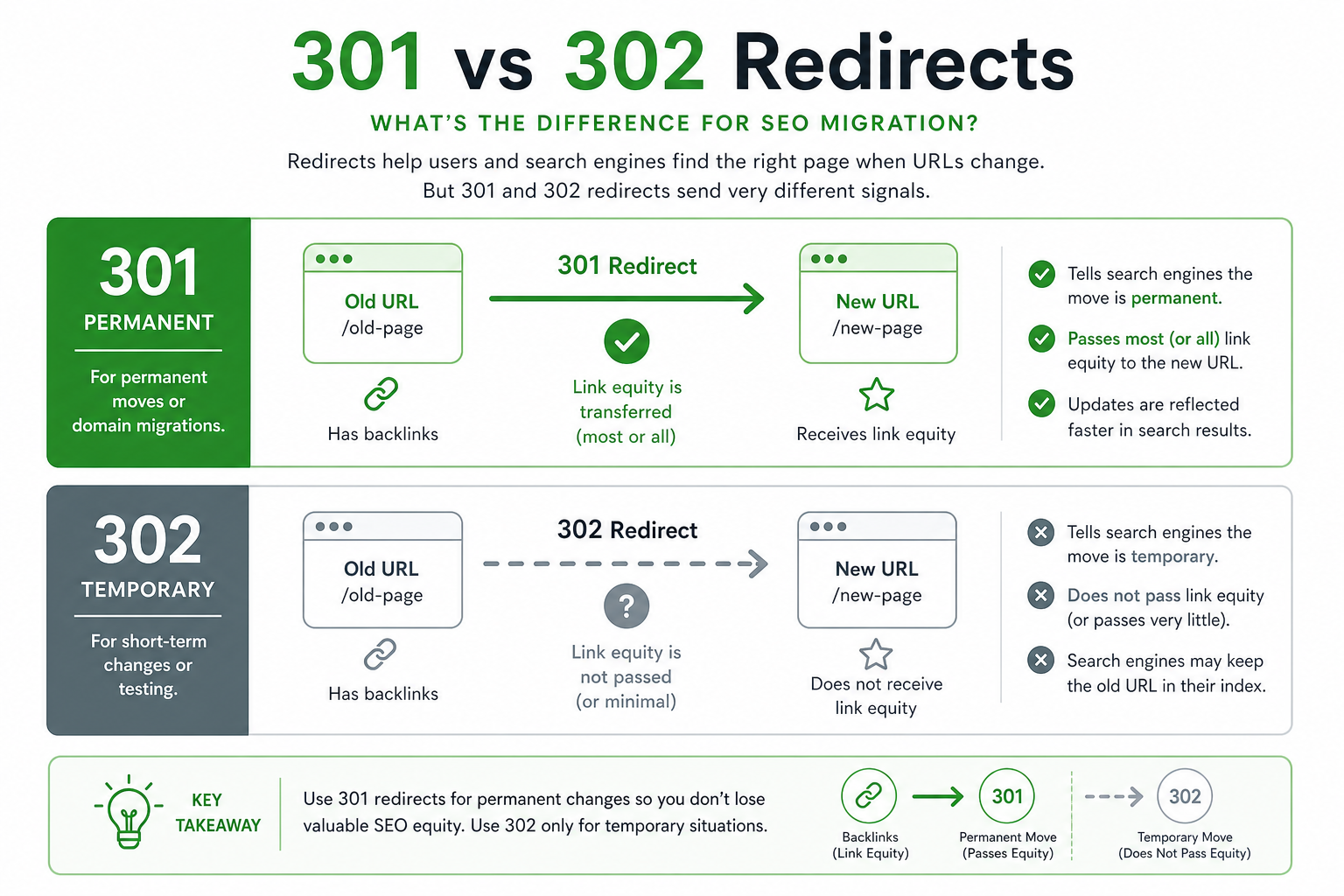
301 Moved Permanently tells Google the page has moved for good. Authority and link equity transfer to the new URL (generally). Use 301 for domain changes, URL restructures, and HTTPS moves.
302 Found is temporary. Google may keep the old URL indexed. Use only for genuinely temporary moves — e.g. A/B tests or short campaigns.
Meta refresh and JavaScript redirects are poor for SEO. Server-side 301 is the standard.
Staging tip
Staging and pre-launch testing
Test the redirect map on staging: crawl old URLs and confirm each returns 301 to the right target — not 404, not a chain, not 302.
Check canonicals, sitemap, robots.txt, and hreflang in the new environment. Compare headers to old production on critical pages.
Involve the team: SEO, dev, content, and business. Sign off the map before DNS change or go-live.
Launch day — go-live
On launch day: switch DNS / go live, activate server redirects, submit the new sitemap in Search Console, and request re-indexing for critical URLs.
Do not remove the old site immediately — keep redirects live for at least 12 months, often permanently. Old backlinks point to old URLs for years.
Notify stakeholders: team, partners, ad platforms. Update Google Business Profile, social bio links, and email signatures.
Post-launch monitoring
Monitor Search Console daily for the first 2 weeks: indexing errors, 404 spikes, ranking changes, and crawl anomalies.
Compare organic traffic in Analytics: same week year-over-year vs now. A temporary dip is expected — the trend after 2–4 weeks matters.
Fix 404s as soon as they appear. Update the redirect map from live data. Document lessons for the next migration.
Most common migration errors
Forgotten blog posts and old campaign URLs — they often drive long-tail traffic.
Domain migration without Search Console property update (domain property or URL prefix change).
Content trimming during migration: if the new page is thinner, rankings can drop even with a correct redirect.
Migration in numbers
Summary and next steps
SEO migration must be planned, tested, and monitored — not an overnight deploy. A redirect map, 301 redirects, and Search Console monitoring keep organic traffic on track.
If migration is ahead, start the inventory today. Deeper technical background: technical SEO guide. Need help? Our SEO service.
Migration checklist
Run this list during planning, staging, and after launch.
- URL inventory + Search Console top pages
- Redirect map for every important URL
- 301 for permanent moves, not 302
- No redirect chains (max 1 hop)
- Staging noindex + redirect tests
- New sitemap submitted to GSC
- 14 days tight monitoring after launch
- 404s fixed immediately
Frequently asked questions
What is SEO migration?
SEO migration is a site change (CMS, domain, URL structure) that affects search visibility. The goal is to preserve organic traffic with redirects and proper planning.
301 or 302 for migration?
Use 301 for permanent moves — authority transfers to the new URL. 302 only for temporary moves. Always 301 for domain and URL migrations.
How long should redirects stay live?
At least 12 months, often permanently. Old backlinks and bookmarks point to old URLs for years — removing redirects loses traffic.
How do I monitor migration success?
Search Console: indexing errors, 404s, rankings. Analytics: organic traffic week over week. Compare 2–4 weeks before/after and fix 404s immediately.
Can migration improve SEO?
Yes — better structure, speed, and content can lift rankings after migration. But expect a short-term dip; planning minimizes it.