What an SEO audit is and why it pays off
An SEO audit is a systematic review of a site aimed at finding and prioritizing all the factors that affect search visibility. It is always the first step when you want to improve organic traffic.
Without an audit, optimization is guesswork: you might fix small things while a big problem — like an indexing block or a slow page — holds the entire site down. An audit reveals where the real obstacles are.
A good audit does not just produce a list of problems but a priority order: what delivers the most result for the least effort. This is the decisive difference between a report and an action plan.
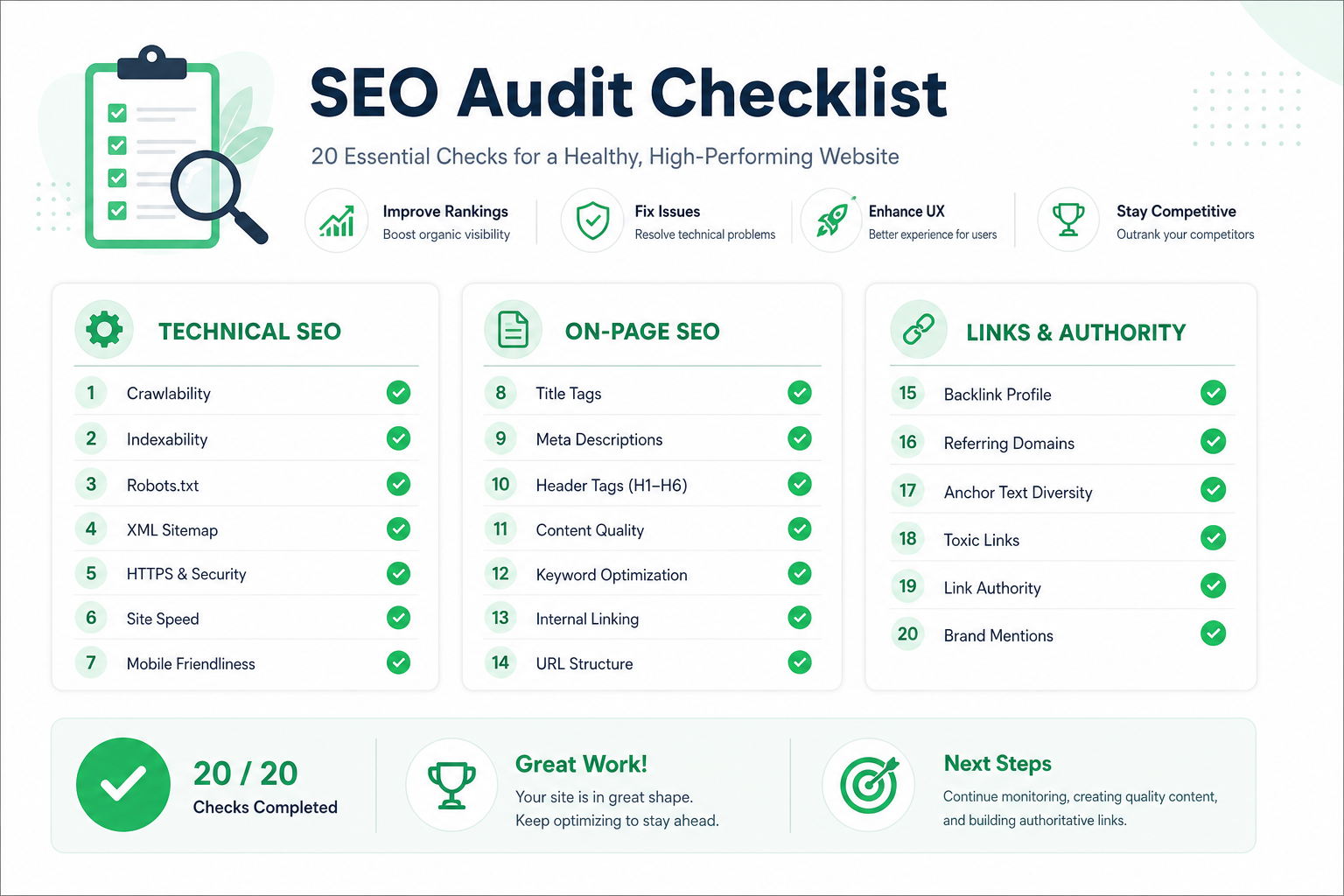
This checklist is divided into four categories — technical, on-page, content, and links — for 20 points in total. Go through them in order and mark each as in order or needing a fix.
Technical SEO — points 1–6
The technical foundation determines whether Google can even find, index, and understand your site. Always start here — other fixes do not help if technical issues block visibility.
Check indexing: is your site in Google (site:domain.com), is robots.txt or a noindex tag blocking important pages, and does the XML sitemap work. Use Google Search Console to verify index status.
Check speed and mobile: Core Web Vitals values, mobile friendliness, and HTTPS. Read our Core Web Vitals guide for more on fixing speed.
- 1. Indexing: pages in Google, no accidental noindex/robots blocks
- 2. XML sitemap exists, up to date, and submitted to GSC
- 3. HTTPS across the whole site, no mixed content
- 4. Mobile friendliness: responsive, no usability errors
- 5. Core Web Vitals: LCP, INP, and CLS green
- 6. No broken links (4xx) or redirect chains
The key insight
On-page SEO — points 7–12
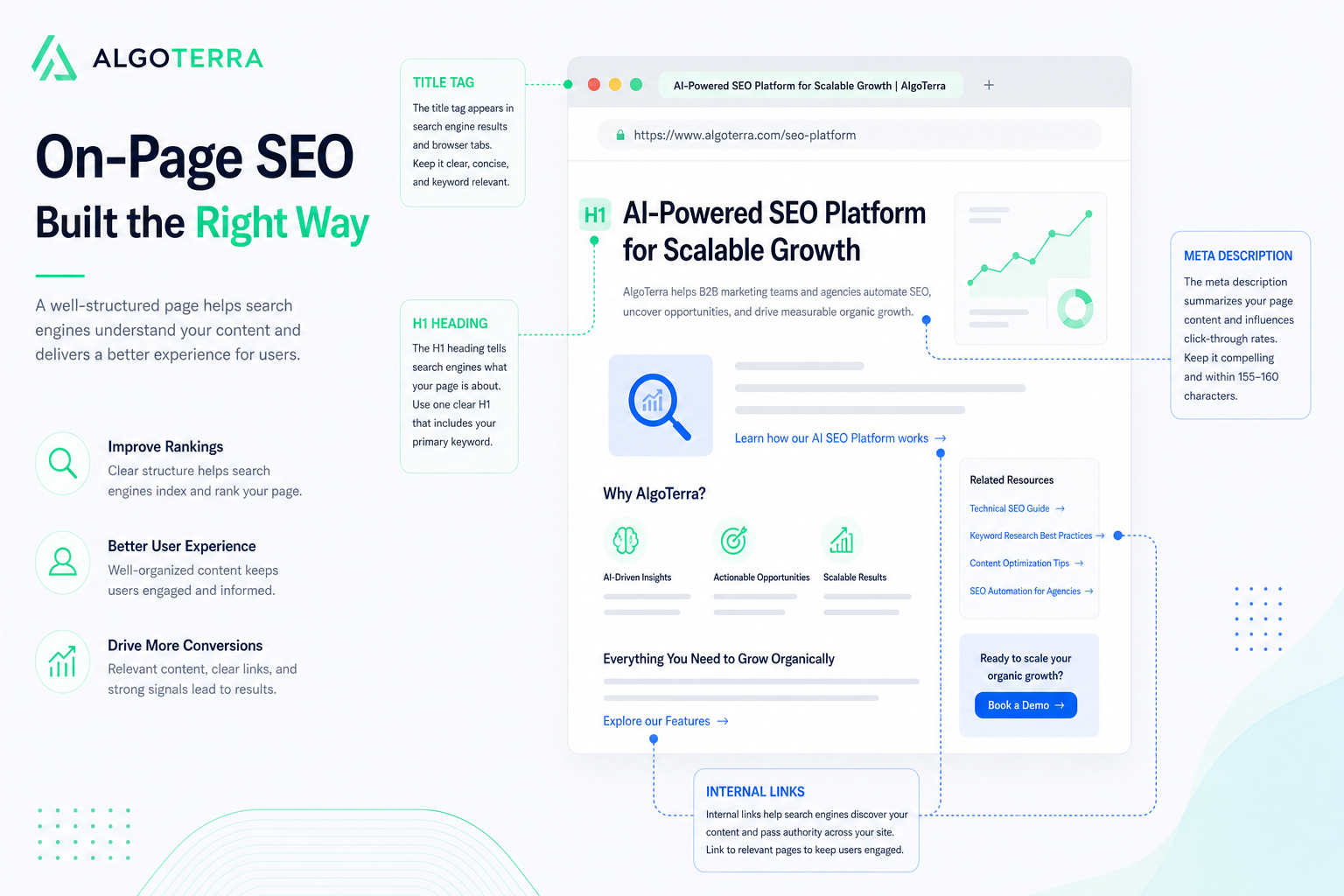
On-page factors tell the search engine what a page is about. They are a cheap and fast way to improve visibility because you have full control over them.
For each important page, check the title tag (unique, under 60 characters, keyword first), meta description (150–160 characters, enticing), and heading structure (one H1, logical H2/H3 hierarchy).
Also check URL structure, image alt text, and internal linking. A deeper guide is in our on-page SEO 2026 article.
- 7. Unique, optimized title tags (under 60 characters)
- 8. Enticing meta descriptions (150–160 characters)
- 9. Heading structure: one H1, logical H2/H3 hierarchy
- 10. Image alt text and optimized file size
- 11. Short, descriptive URLs with a keyword
- 12. Internal links to related pages, descriptive anchor text
Content — points 13–16
Content is ultimately what search engines rank. The audit evaluates whether content matches search intent, whether it is comprehensive, and whether there is thin or duplicate content diluting the site’s quality.
Identify thin content (under 300 words without added value), cannibalization (multiple pages competing for the same query), and outdated content that needs updating. These are common but often unnoticed problems.
Also evaluate E-E-A-T signals: is the author visible, are the sources reliable, and is the content current. Read more in our on-page guide.
- 13. Content matches search intent and is comprehensive
- 14. No thin content (no added value, under 300 words)
- 15. No keyword cannibalization (pages do not compete)
- 16. E-E-A-T signals: author, sources, freshness
Links — points 17–20
Links remain one of the strongest ranking factors. The audit examines both the internal linking structure and the external link profile (backlinks).
Check internal linking: is authority flowing to your most important pages, and are there orphan pages (no internal links). Evaluate the external profile: quality, relevant referring domains vs. potential spam links.
Link building is its own broad topic — read our link building 2026 guide. The audit focuses on mapping the current state.
- 17. Internal linking directs authority to top pages
- 18. No orphan pages (all important pages have internal links)
- 19. External link profile: quality, relevant domains
- 20. No harmful spam links (disavow if needed)
Prioritizing fixes — impact before effort
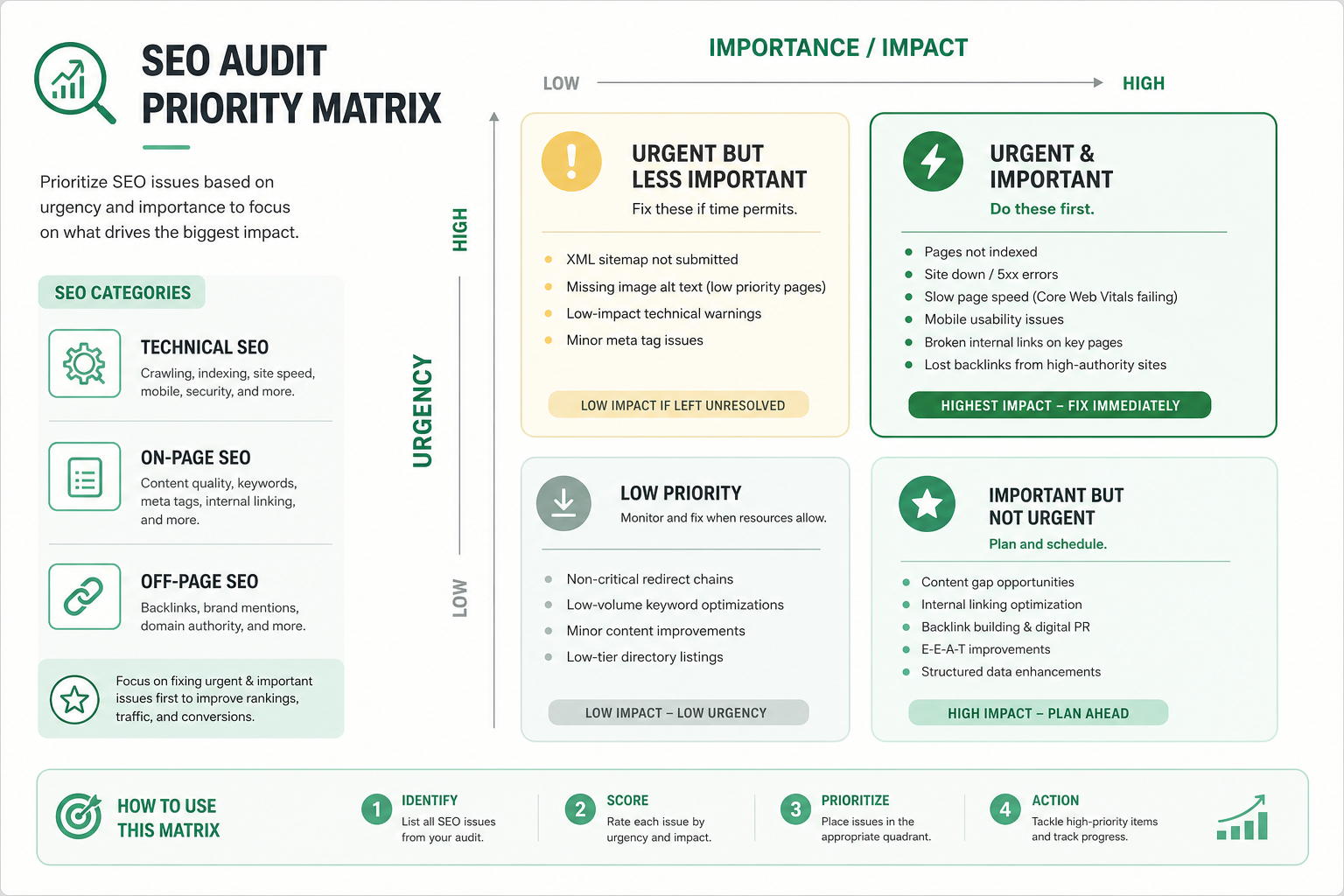
The value of an audit is in prioritization. Once the list is done, sort findings by impact and effort so you know where to start. Do not fix everything at once in a random order.
Start with the items that have high impact and low effort: indexing blocks, broken title tags, a missing sitemap. These produce quick results with little work.
Continue to high-impact, high-effort items (e.g., content overhaul or thorough speed fixes) and leave low-impact items last. This way you get results right from the first fixes.
- High impact + low effort: fix immediately (quick wins)
- High impact + high effort: plan as a project
- Low impact + low effort: do along the way
- Low impact + high effort: leave for last or skip
Recommended audit tools
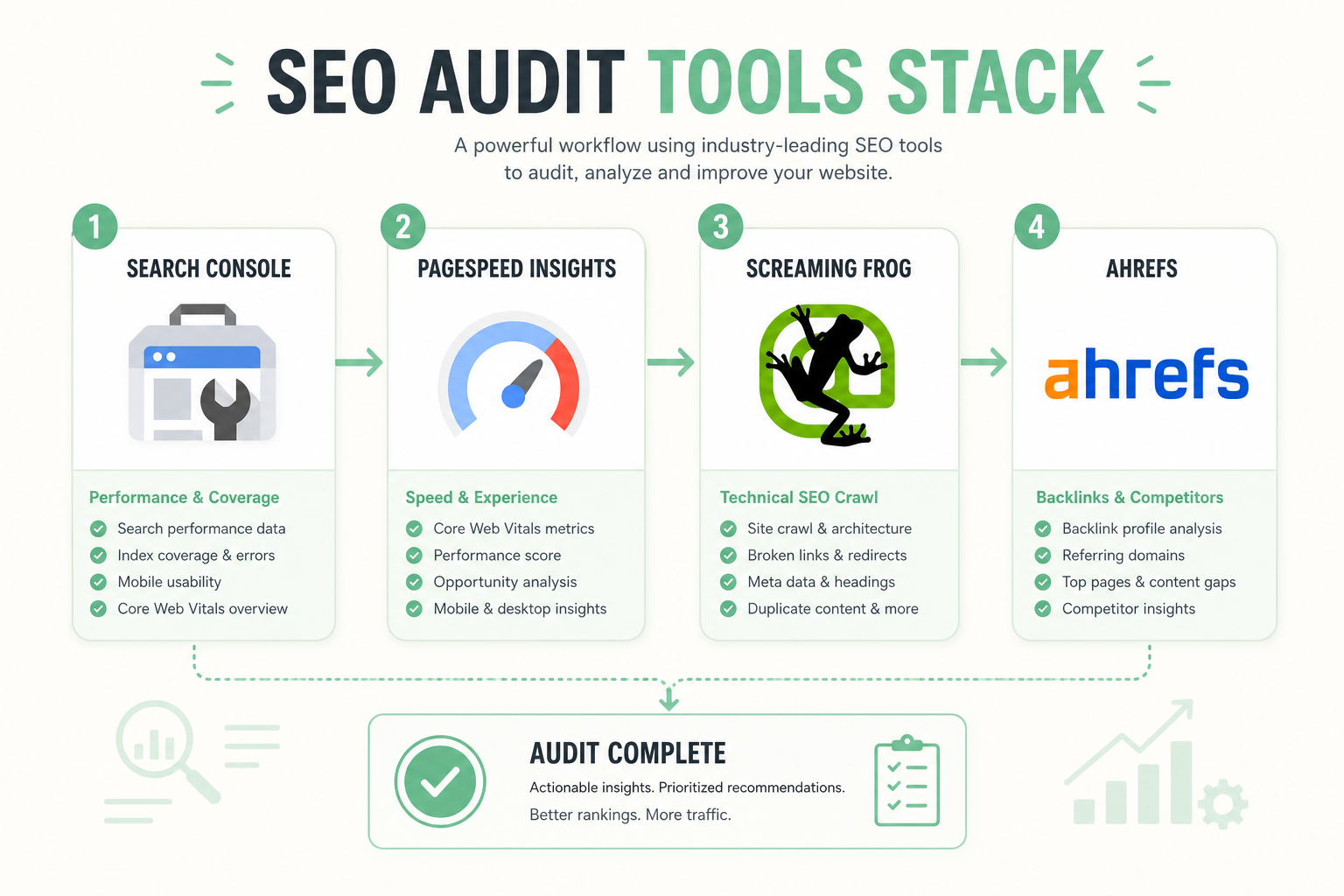
Start with Google’s free tools: Search Console for indexing and performance, PageSpeed Insights for speed, and the Rich Results Test for structured data. These cover a large part of a technical audit.
For crawling the site you need a tool that goes through all URLs and finds broken links, missing title tags, duplicates, and redirect chains. Screaming Frog is a popular choice.
For link profile and keyword analysis, paid tools (such as Ahrefs or Semrush) offer the most comprehensive data. For a smaller site, Google’s free tools go a long way.
- Google Search Console: indexing, performance, errors
- PageSpeed Insights: Core Web Vitals and speed
- Crawler (e.g., Screaming Frog): technical review
- Ahrefs/Semrush: links and keywords (paid)
SEO audit in numbers
When to do an SEO audit
Do a thorough SEO audit at least twice a year and always before a big change: a site redesign, a platform change, a domain migration, or a large content launch.
An audit is also needed if organic traffic drops unexpectedly — often the cause is a technical issue, an algorithm update, or a shift in the competitive landscape, which an audit reveals.
For a new client or project, an audit is always the first step. It establishes the baseline and a prioritized action plan. If you want a professional audit, explore our SEO service — or start the free SEO / GEO site test.
- At least twice a year as a routine
- Always before a redesign or domain migration
- Immediately if organic traffic drops unexpectedly
- As the first step of every new project
The full 20-point SEO audit checklist
Here is the whole checklist summarized. Go through the points in order, mark the ones that are fine, and prioritize the fixes by impact.
Need a professional audit and a concrete action plan? Start the free SEO / GEO site test, or explore our SEO service for a deeper done-for-you audit.
- Technical: indexing, sitemap, HTTPS, mobile, Core Web Vitals, broken links
- On-page: title tags, meta descriptions, headings, alt text, URLs, internal links
- Content: search intent, no thin content, no cannibalization, E-E-A-T
- Links: internal structure, no orphan pages, external profile, no spam links
- Prioritize: high impact + low effort first
- Tools: Search Console, PageSpeed, crawler, link analysis
- Re-audit every 6 months and before major changes
Frequently asked questions
What does an SEO audit mean?
An SEO audit is a systematic review of a site that reveals all the factors affecting search visibility across four categories: technical SEO, on-page, content, and links. A good audit also prioritizes fixes by impact.
Where should an SEO audit start?
Always start with the technical foundation, especially indexing: are important pages in Google and not blocked by a noindex tag or robots.txt. An indexing block nullifies all other optimization.
How often should you do an SEO audit?
Do a thorough audit at least twice a year, always before a big change (redesign, domain migration), and immediately if organic traffic drops unexpectedly. For a new project it is always the first step.
What tools are needed for an SEO audit?
Google’s free tools go a long way: Search Console, PageSpeed Insights, and the Rich Results Test. For deeper analysis add a crawler (e.g., Screaming Frog) and link tools such as Ahrefs or Semrush.
How do I prioritize audit findings?
Sort findings by impact and effort. Start with quick wins (high impact, low effort) like indexing blocks and broken title tags, continue to high-effort projects, and leave low-impact items last.