Negative keywords — why they are mandatory
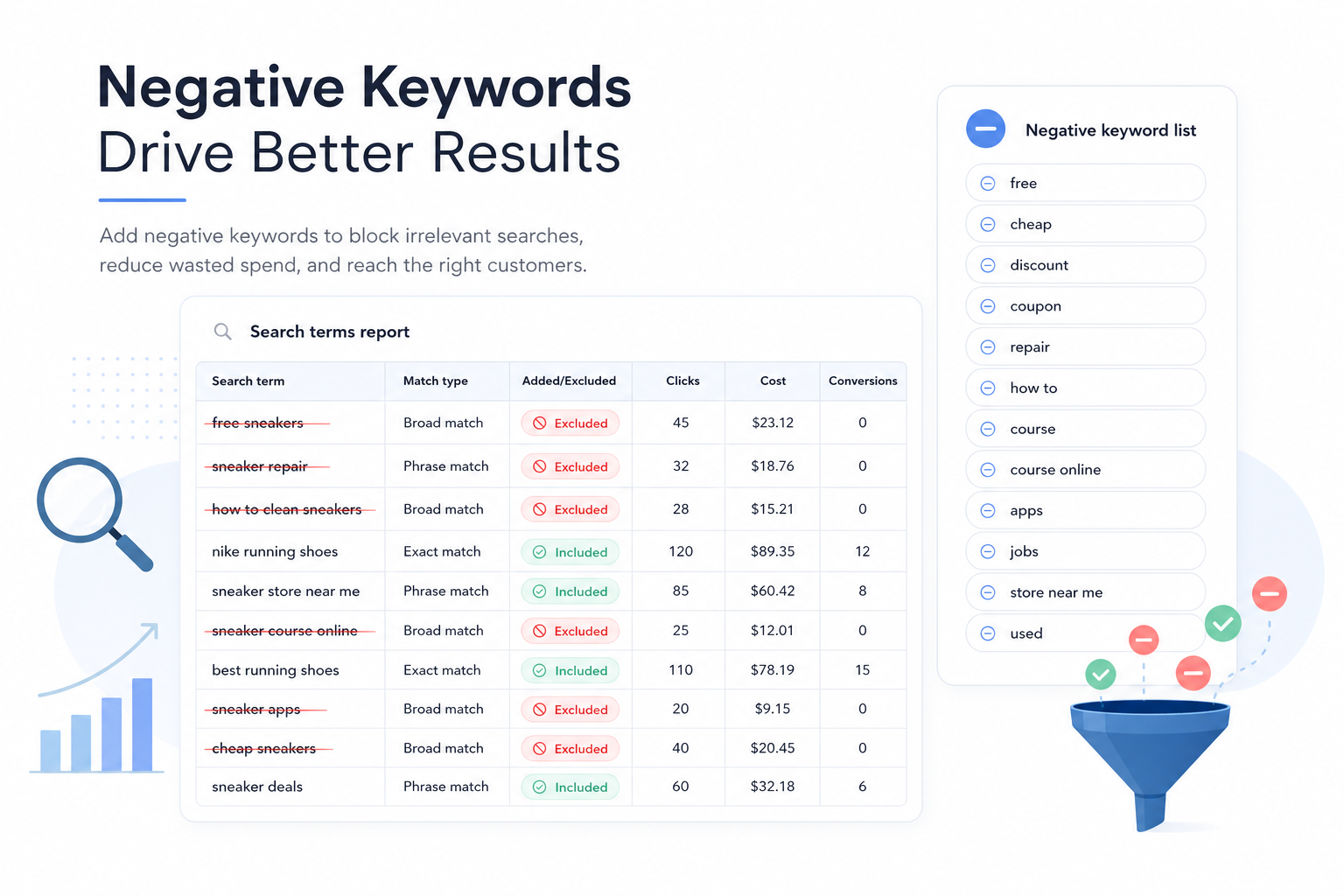
A negative keyword prevents your ad from showing on a specific query. It does not affect organic visibility — only paid Search. Without negatives you pay for clicks that will never convert.
Negatives are especially critical in broad match campaigns and Smart Bidding setups where the algorithm tests a wide query set. They do not fix poor keyword choices, but they are an ongoing cleanup mechanism.
A good negative routine combines Search Terms analysis, shared lists, and clear ownership — not ad hoc additions only after budget has burned.
Wasted clicks grow quietly
Search Terms report in practice
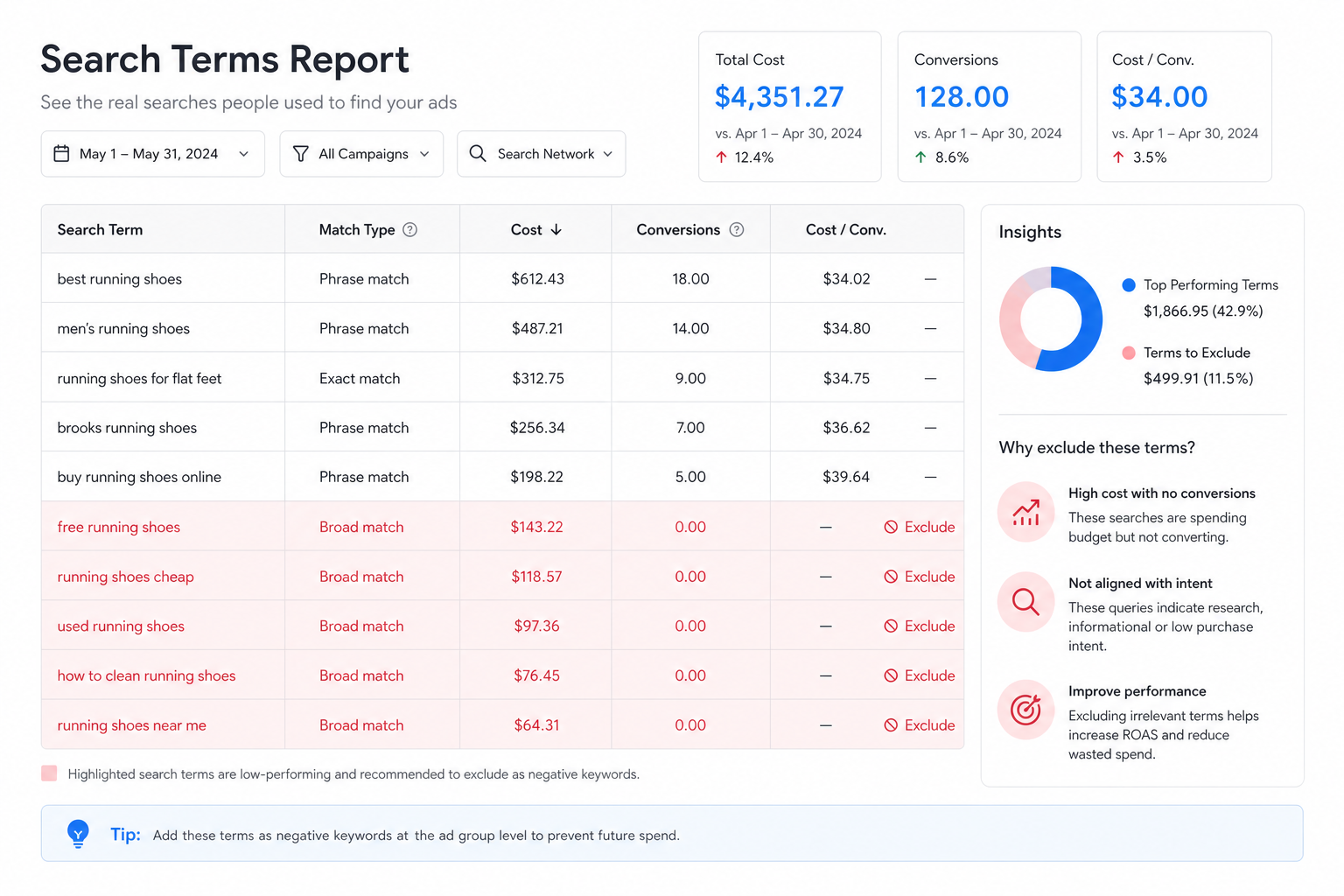
The Search Terms report shows actual queries that triggered your ads. It is the top source for finding negatives — more important than Keyword Planner or third-party tools.
Filter the report: last 7–30 days, conversions = 0, clicks above threshold (e.g. 5+), cost above X. This surfaces expensive irrelevant queries quickly.
Label each query: negative (block), keep (relevant), or new keyword (good intent, not yet in list). This triage makes query mining repeatable.
- Open Search Terms at campaign or ad group level
- Filter zero conversions + enough clicks
- Add negatives with correct match type
- Document exceptions (e.g. brand query variants)
Query mining routine
Query mining is systematic Search Terms review to find new negatives, keywords, and landing page improvements. It is a weekly Search team routine, not a one-time audit.
Weekly routine (30 min): review top 50 queries by clicks without conversion → add negatives → mark good queries as new keywords → check overlap with Search structure.
Monthly routine (2 h): analyze industry waste categories (free, jobs, education, competitors) → update shared negative lists → compare cost/conv before and after.
Negative match types
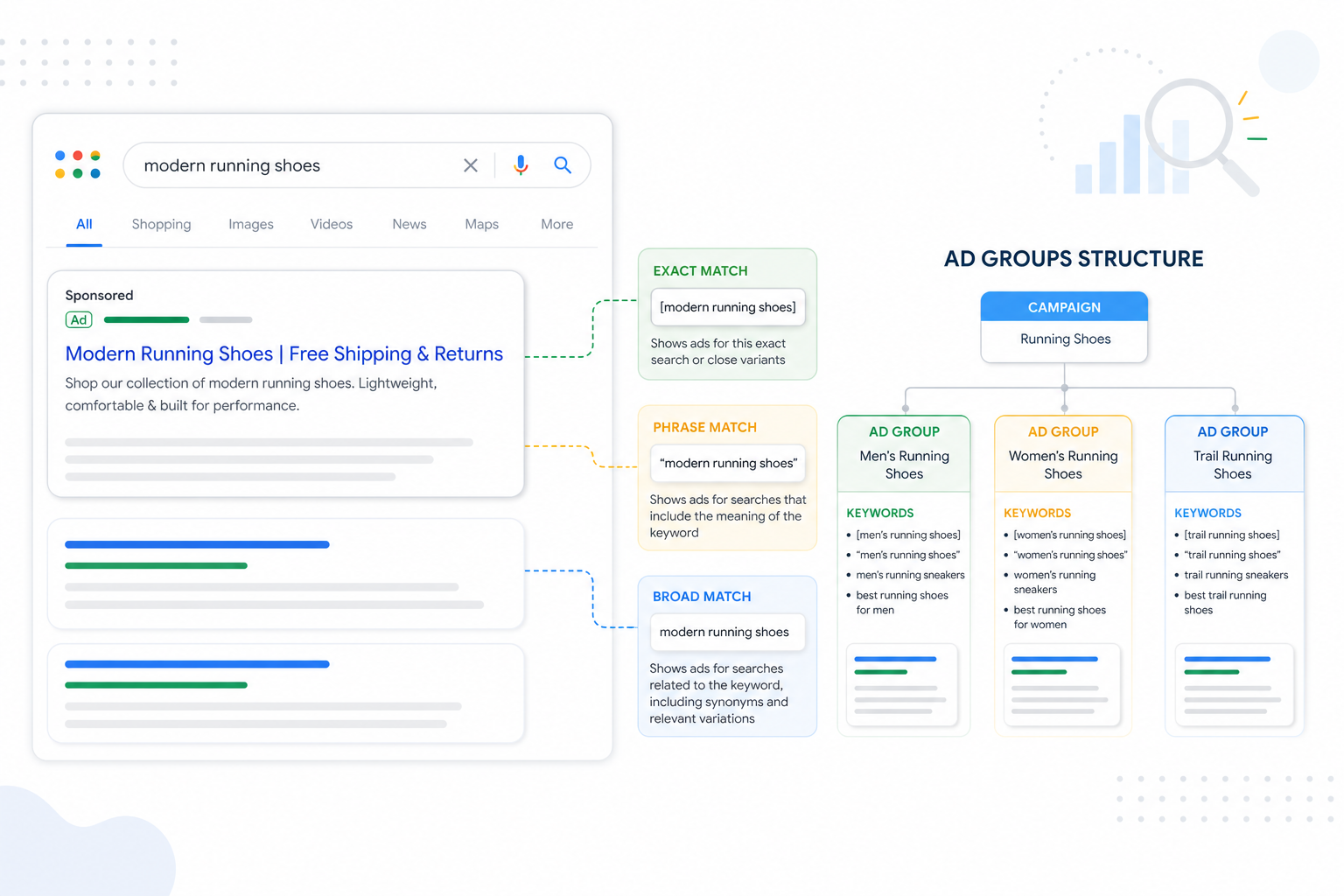
Negatives use the same match rules as positives: exact, phrase, and broad. Broad negative blocks any query containing the word — powerful but dangerous if applied too widely.
Phrase negative ("free") blocks queries where the word appears in the phrase. Exact negative ([free]) blocks only the exact query. Use broad negatives only for universal waste terms (jobs, career, download).
Test before adding: check in Preview Tool — do brand or product queries still show correctly after the negative?
Shared negative keyword lists
Shared negative lists are reusable word lists you attach to multiple campaigns at once. They standardize cleanup and stop the same mistake repeating across campaigns.
Typical lists: Universal waste (free, jobs, DIY), Competitor brands (if you do not want to compete), Informational (how to, what is, wiki), Geo exclusions (wrong cities/countries).
Keep lists short and documented. An oversized "master list" is hard to maintain — 3–5 focused lists beat one 500-word list.
Account vs campaign vs ad group level
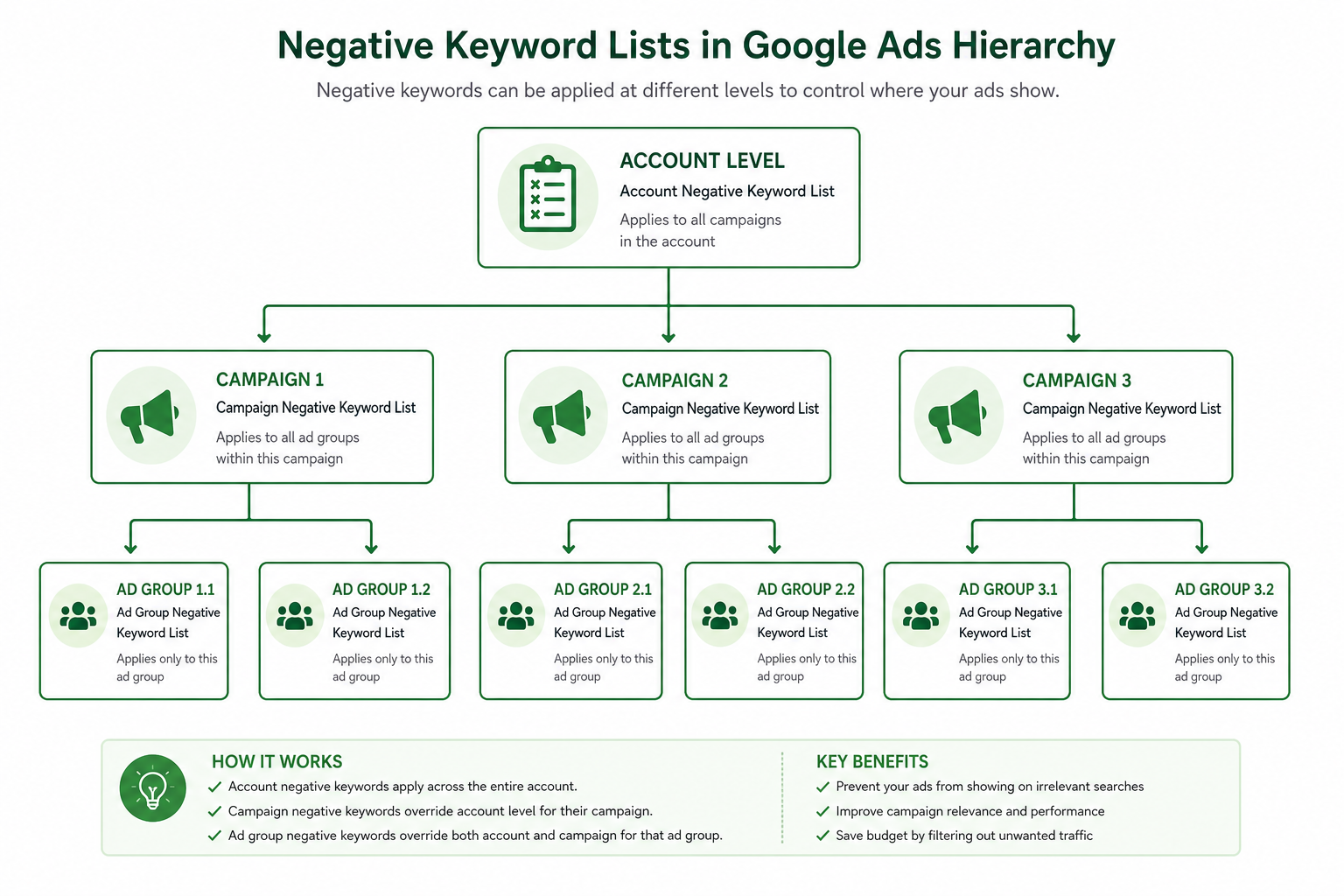
Account-level negatives affect the whole account — use only for universal waste terms that are never relevant.
Campaign-level negatives are most common: competitor negatives in brand campaigns, informational negatives in non-brand. Shared lists usually attach at campaign level.
Ad group-level negatives are rare — use only when two ad groups in the same campaign compete on different intent.
Broad match needs active negatives
When you move to broad match for scale, negative cadence increases. In the first 2–4 weeks add negatives 2–3x more often than in exact/phrase campaigns.
Broad match + Smart Bidding learns over time, but it does not remove the need for negatives — it only changes the waste profile. Review Search Terms weekly even in mature accounts.
Smart Bidding does not replace negatives
Smart Bidding optimizes bids by conversion probability, but it does not stop ads showing on irrelevant queries — it may just bid lower. Negatives block visibility entirely.
The combo: Smart Bidding scales relevant queries, negatives cut clearly irrelevant ones. Conversion tracking quality affects which queries the algorithm treats as relevant.
Negatives in numbers
Summary
Negative keywords and Search Terms routines are a Search campaign requirement — not an optional extra. Weekly query mining, monthly shared lists, and clear level selection keep CPC and ROAS on track.
Next, go deeper on Search keywords and RSA ad copy. Need an account audit? See our Google Ads audit guide.
Negative keywords checklist
Run through this list in weekly query mining sessions.
- Search Terms report opened for last 7 days
- Zero conversions + clicks filtered
- Negatives added with correct match type
- Shared lists updated and documented
- Account-level negatives only for universal terms
- Broad match campaigns checked more frequently
- Good queries marked as new keywords
- Brand query variants checked before broad negatives
Frequently asked questions
How often should I review the Search Terms report?
In active Search accounts, weekly (30 min). Smaller accounts can do every 2 weeks. Broad match campaigns need tighter monitoring.
What is a shared negative list?
A shared list is a reusable negative keyword collection attached to multiple campaigns. It standardizes cleanup and avoids adding the same word manually to every campaign.
Account- or campaign-level negatives?
Account-level only for universal waste (jobs, free). Campaign-level and shared lists are the main tools — different campaigns, different intent.
Can Smart Bidding replace negatives?
No. Smart Bidding adjusts bids, but negatives block visibility entirely on irrelevant queries. You need both.
How do I find waste categories quickly?
Filter Search Terms: conversions = 0, cost > X, sort by clicks. Group queries by theme (free, jobs, DIY) and build shared lists from them.