What Search campaigns do differently
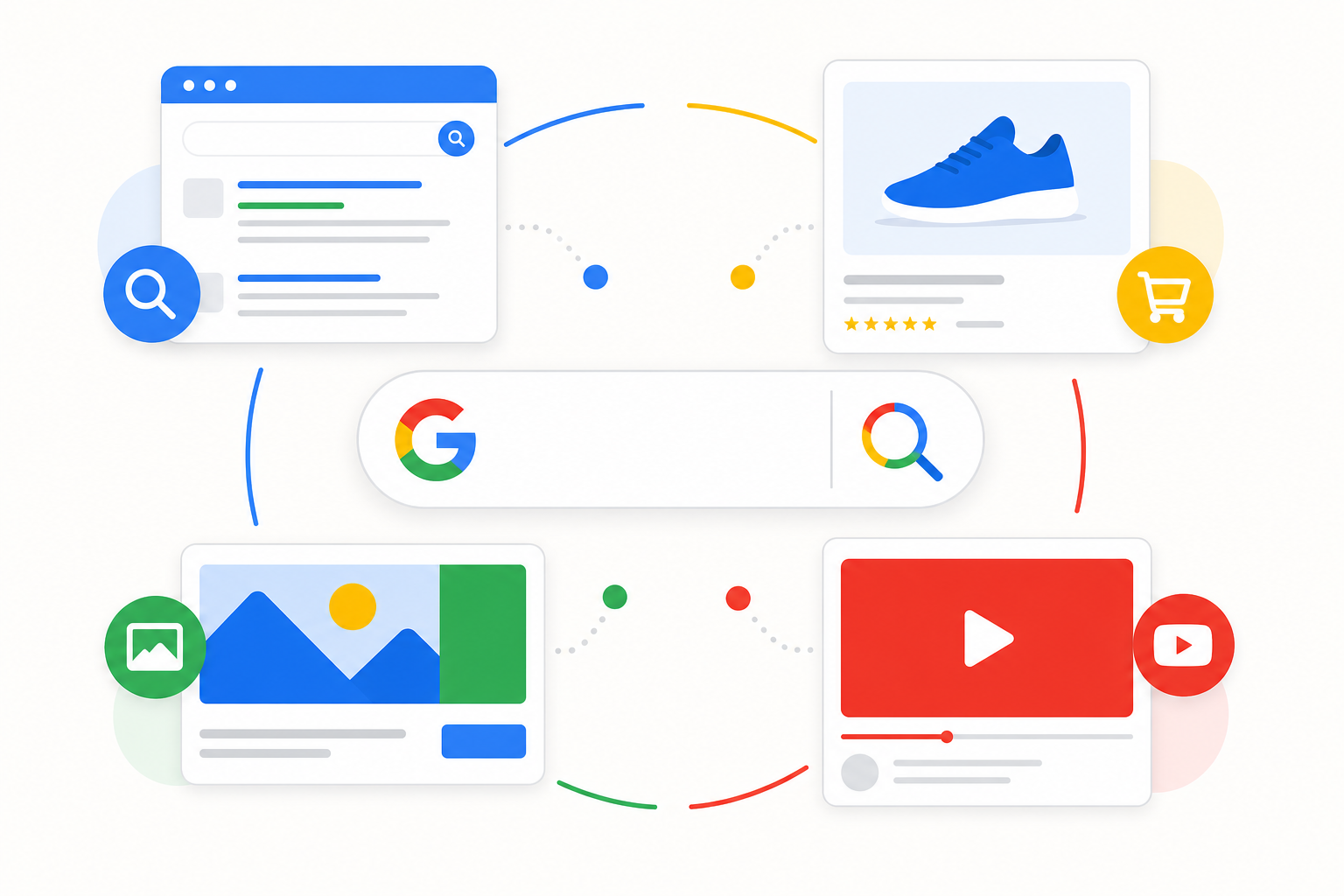
A Search campaign shows text ads in Google results when users search for your chosen keywords. Unlike Performance Max, which distributes budget automatically across channels, Search gives you direct control over the queries you bid on.
Search fits situations with clear intent: product searches, comparison queries, problem-solving searches, and bottom-funnel terms. Without Search, you lose visibility at the most precise stage of the purchase path.
Search does not replace every other campaign type. The right mix depends on your business model — Search is often the core, but not the only channel. See our campaign types guide for the full picture.
Match type defines control
Exact, phrase, and broad match
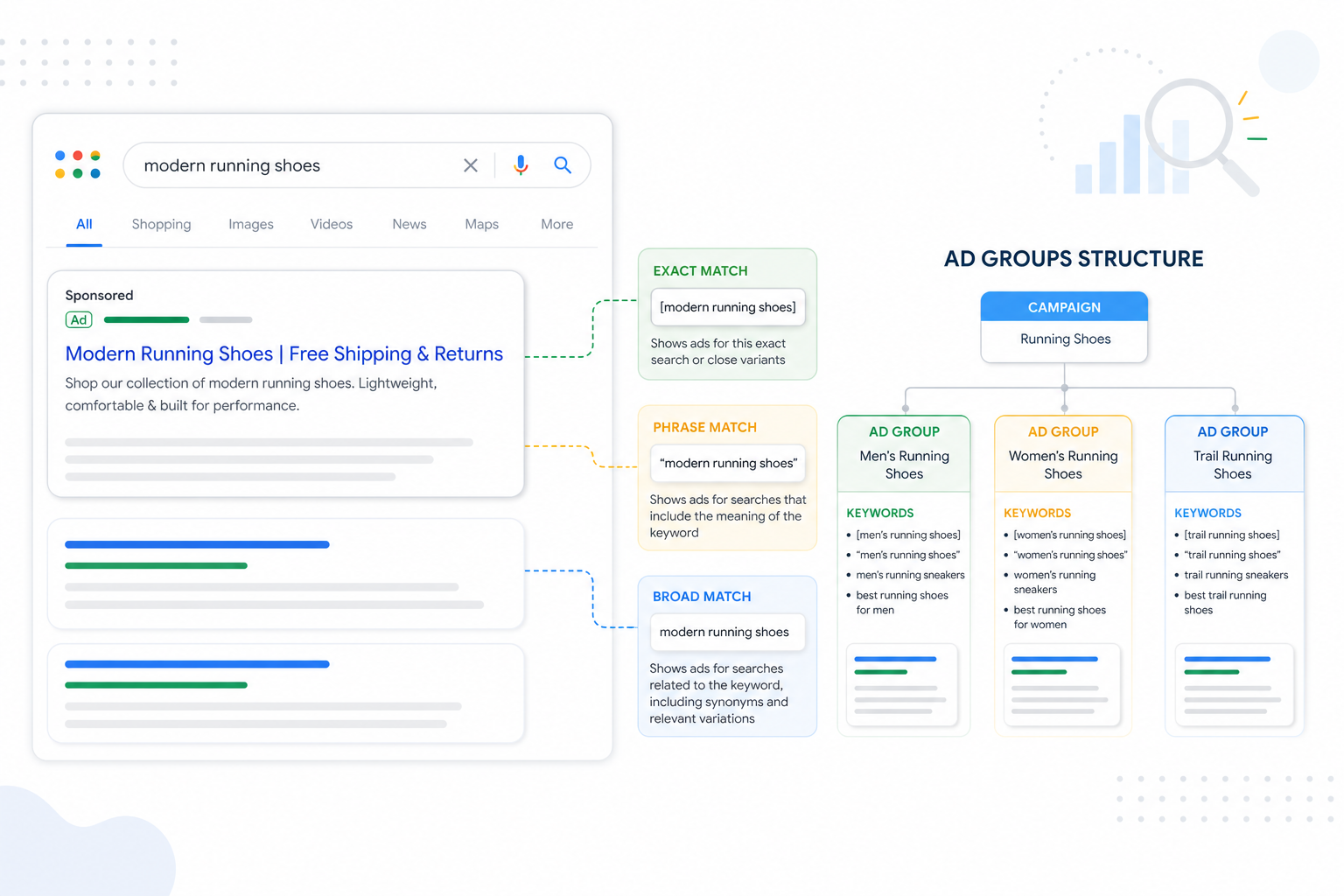
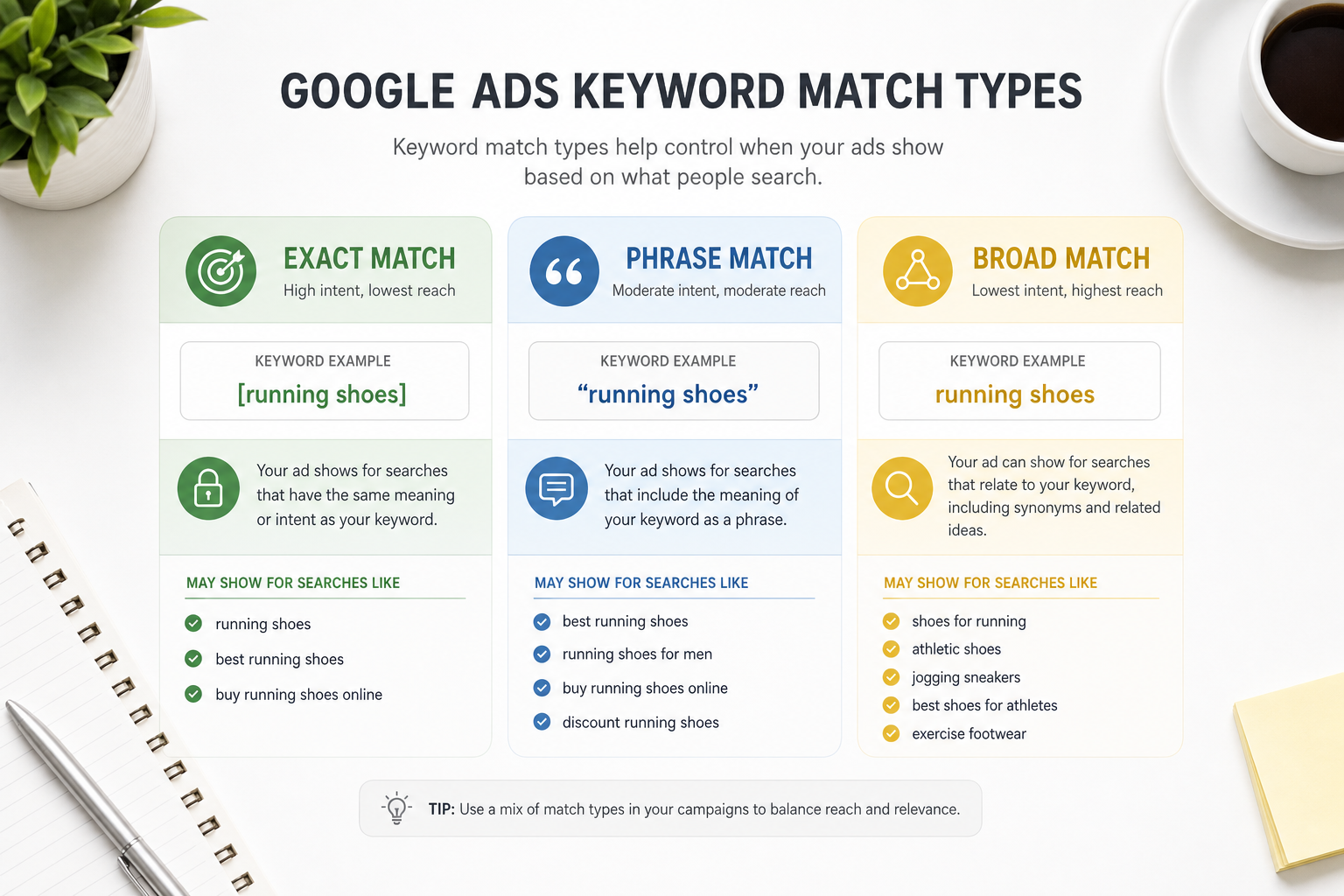
Exact match ([keyword]) targets searches that match the same meaning/intent. It gives the tightest control and works best for bottom-funnel and non-brand product terms.
Phrase match ("keyword") allows extra words before or after while keeping the core phrase. A good balance between scale and relevance — especially for service queries and long-tail terms.
Broad match (keyword without modifiers) gives the algorithm the widest freedom. Works best when conversion tracking is solid, negatives are maintained, and Smart Bidding has enough data.
- Exact: tightest control, brand + product names + high-intent queries
- Phrase: scalable middle ground, service and problem queries
- Broad: maximum reach, requires strong guardrail routines
Keyword structure principles
Good keyword structure starts with intent, not a word list. Group keywords by funnel stage: branded, non-brand product, category, competitor, and informational — do not mix them in one ad group.
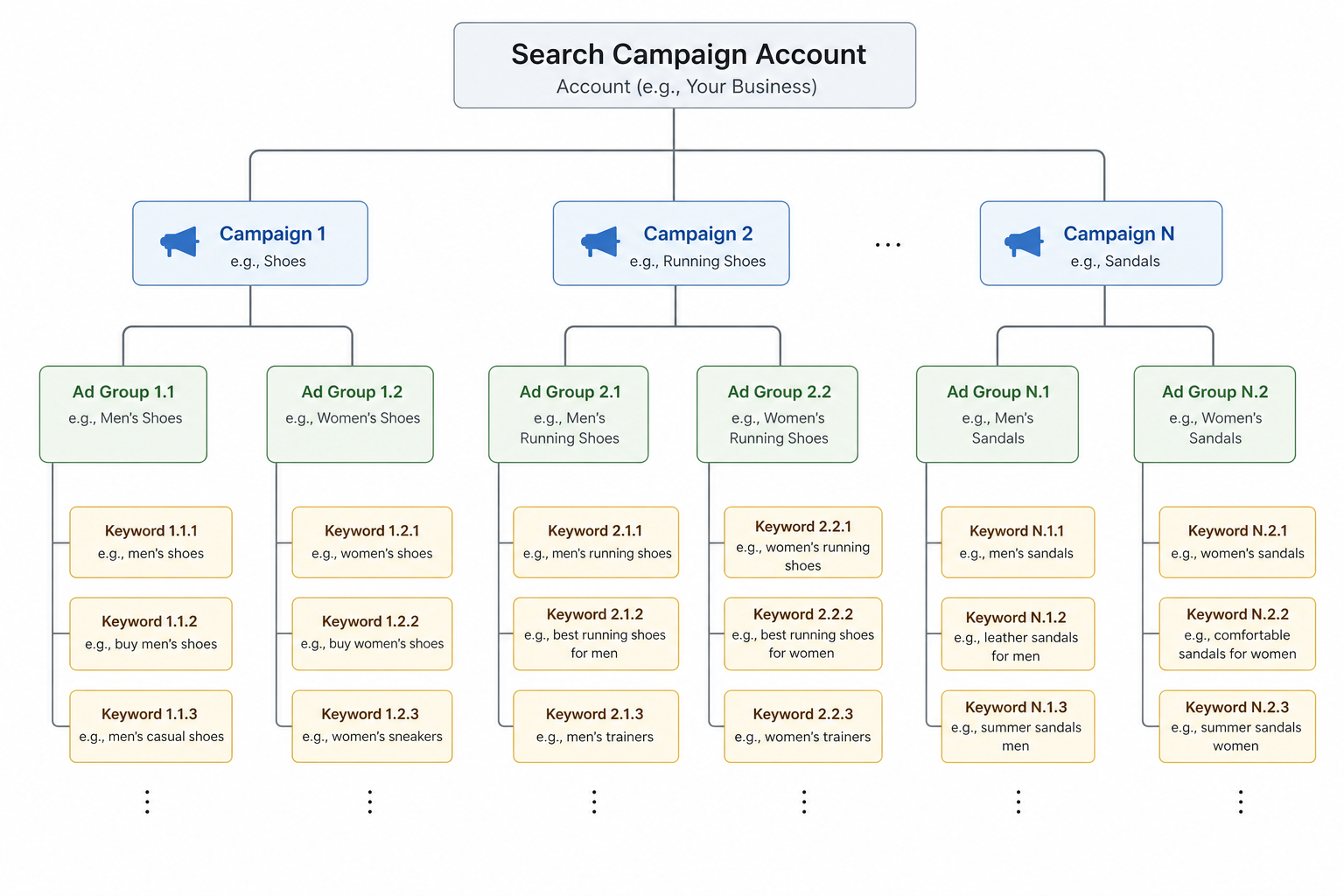
Use a hierarchy: campaign → ad group → keyword → ad → landing page. Each level needs a clear purpose. If you cannot explain why a keyword lives in a group, the structure is too messy.
Keyword Planner gives a starting point, but real demand shows up in the Search Terms report. Build lists iteratively from data, not only from tool suggestions.
SKAG vs themed ad groups
SKAG (Single Keyword Ad Group) means one keyword per ad group. It maximizes relevance and Ad Strength but scales poorly in large accounts and slows management.
Themed structure groups 5–20 related keywords under one intent (e.g. "google ads management", "google ads agency", "google ads consultant"). RSAs and landing copy stay relevant without hundreds of ad groups.
Practical 2026 recommendation: themed groups + tight match strategy + regular Search Terms cleanup. Use SKAG only for critical high-intent queries where QS or CTR is a problem.
Quality Score — what it actually measures
Quality Score (QS) is Google's 1–10 rating of expected ad quality for a keyword. It combines expected CTR, ad relevance, and landing page experience.
QS directly affects CPC and ad rank. QS 7+ is a realistic target for most non-brand keywords; below 5 signals relevance or landing page issues.
Improving QS is not a separate project — it follows automatically when RSAs, keywords, and landing pages speak the same language. Read our landing page conversion guide if QS is stuck on landing page experience.
Search and Smart Bidding together
Search campaigns benefit from Smart Bidding, especially for broad match scaling. The algorithm learns which queries convert and adjusts bids in real time.
Manual CPC remains valid for new accounts or very small budgets without conversion data. Move to Smart Bidding when the primary conversion action collects at least 30 conversions per month per campaign.
Bid adjustments (devices, locations) are limited with Smart Bidding — do not try to "fix" the algorithm with manual tweaks before conversion tracking is reliable.
Search vs PMax — how to split budget
Performance Max can "eat" brand and high-intent non-brand queries if Search is not set up separately. Separate brand/non-brand Search plus PMax brand exclusions are the practical minimum.
A typical split for data-driven accounts: 60–80% Search (non-brand + brand), 20–40% PMax for remarketing and discovery scale. Exact split depends on industry and conversion path.
Do not kill Search entirely because of PMax. Search provides query-level data PMax does not — and it remains the best way to control bottom-funnel intent.
Negative keywords as part of Search routine
Negative keywords are Search's mandatory safety system — especially with broad match. Without them you pay for irrelevant queries: free, jobs, DIY, competitor brands (if you do not want them).
The deeper process is in our negative keywords guide. Weekly Search Terms review + shared negative lists is the monthly minimum.
Search in numbers
Summary and next steps
Search is the most precise Google Ads tool for active search intent. Wins come from match type choices, clear themed structure, Quality Score, and continuous Search Terms cleanup.
Next, go deeper on negative keywords, RSA ad copy, and brand vs non-brand split. Need help with account structure? See our Google Ads service.
Search checklist
Run through this list when launching a new Search campaign and in monthly audits.
- Intent defined: branded / non-brand / competitor / informational
- Match type strategy documented per campaign
- Themed ad groups, not messy SKAG fragmentation
- RSAs and landing page aligned with keywords
- Quality Score monitored — QS below 5 investigated
- Smart Bidding only after enough conversion data
- Search Terms report reviewed in the last 7 days
- Negative keywords and shared lists up to date
- PMax brand exclusion + separate brand Search
- Conversion tracking with primary action in place
Frequently asked questions
Which match type should I start with?
Phrase and exact are the safest start for new accounts. Broad match works when conversion tracking, negatives, and Smart Bidding are solid — otherwise it burns budget quickly.
Is SKAG still relevant in 2026?
SKAG still fits critical high-intent queries, but themed structure scales better. Do not create hundreds of ad groups without a clear QS or CTR reason.
How do I improve Quality Score?
Improve three components: expected CTR (better RSAs), ad relevance (keyword–ad alignment), and landing page experience (speed, relevance, conversion path).
Should Search and PMax be separated?
Yes — separate brand Search, non-brand Search, and PMax brand exclusions prevent channel cannibalization. Search provides query-level data PMax does not replace.
When should I switch to Smart Bidding in Search?
When the primary conversion action collects at least 30 conversions per month per campaign and conversion tracking is reliable. Start with Maximize Conversions before Target CPA/ROAS targets.